

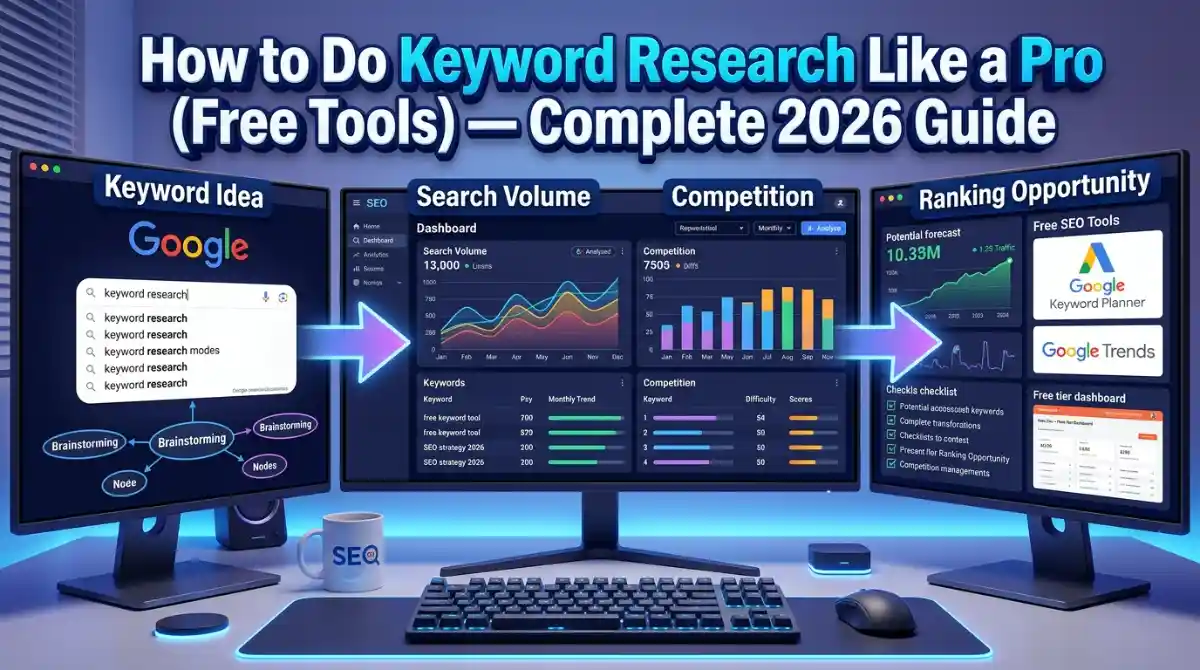
Keyword research is the foundation of every SEO strategy that actually works.
Get it right, and Google sends you free traffic for years. Get it wrong, and you’re writing content nobody searches for — and ranking for nothing.
This pillar guide covers everything. What keyword research is, how to do it step by step using free tools, how to find low competition keywords, how to analyze search intent, and how to build a keyword strategy that gets you into Google’s AI Overviews and featured snippets.
No paid tools required.
What is keyword research in SEO?
Keyword research is the process of finding the exact words and phrases people type into Google when they’re looking for information, products, or services.
When you know what people are searching for, you can create content that answers those searches. That’s how you get organic traffic.
It’s that simple — and that important.
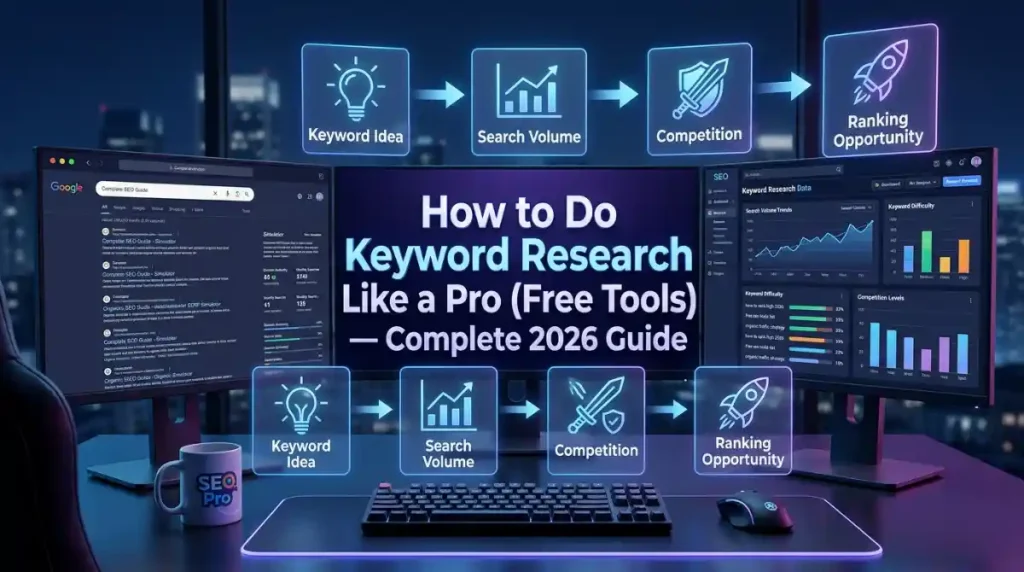
A solid SEO keyword research process tells you three things: what people are searching for, how many people are searching for it (search volume), and how hard it is to rank for it (keyword difficulty).
Get those 3 data points right, and your content strategy becomes much sharper.
Why keyword research matters more in 2026
Google processes over 8.5 billion searches per day. Most of those searches land on pages that did their keyword homework.
With Google’s AI Overviews rolling out across more searches, and SGE changing how results look, targeting question-based keywords and semantic entities has become more important than keyword density ever was.
If you want to rank in 2026, you need topical authority — not keyword repetition.
That means covering your topic deeply, using related terms naturally, and structuring your content to answer the exact questions your audience types into Google. This guide covers all of that.
Before diving into tools and tactics, you should understand what on-page SEO looks like at the execution level — because keyword research feeds directly into every on-page decision you make.
Understanding search intent first
Before you pick a single keyword, you need to understand search intent. This is the “why” behind a search query.
Google classifies intent into 4 types:
Informational — the user wants to learn something. (“how to do keyword research”)
Navigational — the user wants to find a specific website. (“Ahrefs login”)
Commercial — the user is comparing options before buying. (“best free keyword research tools”)
Transactional — the user is ready to buy or take action. (“buy SEMrush plan”)
Write content that matches the intent behind your target keyword. If the intent is informational and you write a sales page, Google won’t rank it — no matter how well-optimized it is.
Most beginner SEO mistakes come down to intent mismatch. You’re writing the wrong type of content for the query.
Step-by-step keyword research process (free tools only)
Here’s the actual process. No paid tools needed.
Step 1: Start with seed keywords
A seed keyword is the broad topic at the center of your content.
For this article, the seed keyword is “keyword research.” From there, everything branches out.
Write down 5 to 10 seed keywords related to your topic, product, or service. Think about what your audience would type if they had no idea your brand existed.
Step 2: Use Google Autocomplete
Type your seed keyword into Google and stop before hitting enter. Look at the dropdown suggestions.
Those are real searches people are making right now. Google Autocomplete pulls from actual search data — which makes it one of the most underrated free keyword research tools available.
Also scroll to the bottom of the search results page. The “related searches” section gives you more long-tail keyword variations.
Step 3: Check the “People Also Ask” box
Every Google SERP now includes a People Also Ask (PAA) section. These questions are gold.
They tell you exactly what Google thinks users want to know about your topic. Answer them directly in your content and you have a solid shot at featured snippets and AI Overview inclusion.
Screenshot the PAA box for every seed keyword you research. Build a list of question-based keywords from it.
Step 4: Use Google Keyword Planner for free
Google Keyword Planner is free with a Google Ads account. You don’t need to run ads to use it.
Enter your seed keywords and it returns search volume data, competition levels, and keyword suggestions. It’s not perfect, but for free data, it’s reliable.
Focus on keywords with medium search volume (500 to 10,000 monthly searches) and low to medium competition if you’re a new website.
Step 5: Run your keywords through Ubersuggest
Ubersuggest gives you keyword difficulty scores, search volume, CPC data, and content ideas for free (with daily limits).
Enter your seed keyword and look at the “Keyword Ideas” section. Filter by keyword difficulty under 30 if your domain authority is below 20. Those are your best targets for early wins.
Step 6: Use AnswerThePublic
AnswerThePublic maps out every question, preposition, and comparison people search around your topic.
Type in your seed keyword and it generates a visual map of searches like “how to,” “why does,” “when should,” “keyword research vs competitor analysis,” and so on.
These become your H2 and H3 subheadings. They also make excellent FAQ section material.
Step 7: Check Google Trends
Google Trends shows you whether interest in a keyword is growing, declining, or seasonal.
You don’t want to build a content strategy around a keyword that peaked in 2019 and is now dying. Google Trends saves you from that mistake.
It also shows regional interest — useful if you’re doing keyword research for local SEO or targeting specific countries.
Step 8: Analyze competitor keywords for free
Go to Google and search your target keyword. Open the top 3 ranking pages.
Look at their H1, H2 subheadings, and the terms they use throughout their content. That tells you what Google already considers relevant for the topic.
Tools like Keyword Surfer (a free Chrome extension) show search volume data directly in Google search results as you browse. Keywords Everywhere does the same thing. Both work in your browser without any paid subscription.
Step 9: Cluster your keywords
Once you have a list of 20 to 50 keywords, group them by topic.
Keywords that share the same search intent and topic belong in the same article. Keywords with different intents or significantly different angles get their own separate content pieces.
This is called keyword clustering, and it’s how you build topical authority that Google’s algorithm rewards in 2025.
How to find low competition keywords for free
Low competition keywords are the fastest path to organic rankings, especially for new websites.
Here’s what to look for:
Keyword difficulty under 20 to 30 on Ubersuggest or Moz Keyword Explorer’s free tier. These are keywords where the top-ranking pages have weak backlink profiles or thin content.
Long-tail keywords with 3 or more words. Specificity reduces competition. “Keyword research” is brutally competitive. “How to do keyword research for a new website for free” has a fraction of the competition with a much more targeted audience.
Questions nobody’s answering well. Open the top results for your keyword. If the answers are thin, outdated, or don’t actually match the query well — that’s your opening.
Google’s “related searches” at the bottom of page 1. These often surface low-volume, low-competition terms that are easier to rank for and still drive real traffic.
Free keyword research tools: the full list
Here are the tools that actually work without a credit card:
Google Keyword Planner — search volume, competition data, keyword ideas. Requires a free Google Ads account.
Google Search Console — shows you what keywords your site already ranks for. If you have an existing website, this is the first place to look. You’ll find keywords you’re ranking on page 2 for — those are easy wins with a content update.
Ubersuggest — keyword difficulty, volume, content ideas. Free tier has daily limits but it’s enough for most research sessions.
AnswerThePublic — question-based keyword research. Free with limited daily searches.
Google Trends — trend data, regional interest, related queries.
Keyword Surfer — Chrome extension that shows search volume directly in Google results. Completely free.
Keywords Everywhere — browser extension with search volume data. Freemium, but the free tier shows enough to be useful.
Soovle — shows autocomplete suggestions from Google, YouTube, Bing, Amazon, and Wikipedia simultaneously. Good for finding keyword variations across platforms.
Keywordtool.io — generates keyword ideas from Google Autocomplete. The free version doesn’t show search volume but gives hundreds of keyword ideas fast.
Google Autocomplete + related searches — the most underrated free research method. Zero tools required.
Bing Webmaster Tools — if you have a Bing-indexed site, this gives you keyword and click data similar to Google Search Console. Free and under-used.
How to evaluate keywords: the 3 metrics that matter
When you’re building your keyword list, every keyword needs to pass a quick 3-point check.
Search volume. How many people search for this monthly? Low-volume keywords (under 100 searches/month) can still be worth targeting if the intent is highly specific and commercial. High-volume keywords (10,000+) are worth going after only if your site has authority to compete.
Keyword difficulty. How hard will it be to rank? For new sites, stick to KD under 30. For established sites with backlinks and authority, you can compete for higher-difficulty terms.
Search intent match. Does the keyword intent match your content type? A transactional keyword belongs on a product or service page. An informational keyword belongs in a blog post or guide.
These 3 factors together determine whether a keyword is worth your time.
Keyword research for local SEO
If you’re running a local business — a restaurant, agency, clinic, or any service-area business — your keyword strategy needs a location layer.
“Keyword research” becomes “keyword research services in Karachi” or “SEO consultant near me” or “digital marketing agency Lahore.”
The near me keyword pattern is worth paying attention to. Voice search has made “near me” searches one of the fastest-growing query types. People searching “SEO agency near me” on their phone are usually ready to contact someone — high intent, worth targeting.
For local keyword research, Google Keyword Planner lets you filter by city or region. Google Trends shows regional interest breakdowns. And Google Search Console shows you what local queries are already landing people on your site.
If you’re targeting audiences in Pakistan, India, the UK, Australia or any specific market, build location-specific landing pages and include geo-targeted keywords naturally in headings, meta descriptions, and body content.
Need a broader foundation first? Read what SEO actually is before going deeper into local tactics.
Keyword research for YouTube, ecommerce, and affiliate content
The same core process applies across platforms — but with platform-specific adjustments.
YouTube keyword research. YouTube is the second-largest search engine in the world. Use the YouTube search bar autocomplete the same way you use Google’s. VidIQ and TubeBuddy both have free tiers that show search volume and competition data inside YouTube. Soovle shows YouTube autocomplete suggestions alongside Google’s.
Ecommerce keyword research. Product pages need transactional and commercial keywords. Think “buy,” “price,” “best,” “review,” “cheap,” “vs.” Someone searching “best free keyword research tool for small business” is in comparison mode. Someone searching “Ubersuggest pricing” is close to buying. Target both stages.
Affiliate keyword research. Reviews and comparison posts drive affiliate traffic. Target keywords like “[tool] review,” “[tool] vs [tool],” “best [category] tools,” and “is [tool] worth it.” These are commercial-intent searches with buying intent baked in.
Semantic SEO and AI Overview optimization
In 2026, ranking in Google’s AI Overviews requires more than keyword placement. Google’s language models are evaluating topical coverage, entity relationships, and E-E-A-T signals.
Semantic SEO means covering your topic comprehensively — not just hitting keywords, but answering the full range of questions someone researching that topic would have.
That’s why this article covers seed keywords, search intent, free tools, local SEO, YouTube SEO, keyword difficulty, and FAQ questions. Google sees all of that as evidence of topical authority.
For AI Overview inclusion specifically:
Include direct, concise answers to question-based keywords. Google pulls these for Overview responses. Write answers in 40 to 60 words, directly below the question. Use plain language. Cite what you know.
Use FAQ schema markup on your page. This signals to Google that your content contains structured Q&A data.
Cover related entities: tool names (Google Keyword Planner, Ubersuggest, AnswerThePublic), concepts (search intent, keyword difficulty, TF-IDF), and processes (keyword clustering, SERP analysis). Entity coverage is how Google evaluates expertise.
How to build a keyword strategy for a new website
New websites have a specific challenge: no domain authority, no backlinks, no existing rankings.
Here’s the approach that works:
Start with long-tail, low-competition keywords. Write 10 to 20 highly targeted articles on specific questions in your niche. Rank for those first. Build topical authority from the ground up.
Create topic clusters. Pick 3 to 5 broad topics relevant to your site. Write a pillar page (like this one) for each. Then write 5 to 10 supporting articles that link back to the pillar. This structure tells Google you’re an authority on the whole topic, not just one keyword.
Use Google Search Console from day one. As soon as your site is live, verify it and submit a sitemap. Within 3 months, you’ll see which keywords are driving impressions and clicks. That data guides your next round of content.
Track keyword rankings with free tools like Google Search Console, or check manually by searching your target keywords in an incognito window.
For small businesses specifically, a focused keyword strategy built around local terms and long-tail queries can drive significant traffic without competing against large national sites. Read more about SEO for small businesses and how to build a realistic strategy without a huge budget.
When to hire help vs. doing it yourself
Keyword research is learnable. The free tools covered in this guide give you everything you need to start.
But if you’re running a business and need faster results — or if SEO is eating into time you don’t have — working with a specialist changes the speed of the outcome.
The difference between a self-taught keyword strategy and a professional one usually comes down to experience reading SERPs, understanding algorithm behavior, and knowing which keyword opportunities are worth the effort.
If you’re evaluating agencies, read how to hire a digital marketing agency before signing anything.
FAQ: Keyword research questions answered
What is keyword research in SEO? Keyword research is the process of finding what words and phrases people search for in Google. It tells you what content to create, what topics to cover, and what language to use so search engines connect your pages to relevant searches.
How do I start keyword research for free? Start with Google Autocomplete and the People Also Ask box. Then use Google Keyword Planner (free with a Google Ads account), Ubersuggest’s free tier, and AnswerThePublic. You don’t need a paid tool to build a solid keyword list.
What is a good keyword difficulty score? For new websites with little authority, target keywords with a difficulty score under 30 on Ubersuggest or Moz. Established sites with strong backlink profiles can compete for scores up to 60 or 70.
How many keywords should I target per page? One primary keyword per page. Then 3 to 5 secondary keywords and a handful of LSI terms woven naturally into the content. Targeting too many primary keywords per page splits your optimization focus and confuses Google about what the page is actually about.
What is the difference between short-tail and long-tail keywords? Short-tail keywords are broad, high-volume terms like “keyword research” — competitive and harder to rank for. Long-tail keywords are specific phrases like “how to do keyword research for a new blog for free” — lower volume but much easier to rank for, with higher conversion intent.
Does keyword density still matter for SEO? No, not the way it used to. Google’s algorithm understands context and semantics. Write naturally, cover your topic thoroughly, and keyword density takes care of itself. Keyword stuffing actively hurts rankings now.
What is search intent in keyword research? Search intent is the reason behind a query. Users are either trying to learn something (informational), find a site (navigational), compare options (commercial), or take action (transactional). Match your content type to the intent or Google won’t rank it.
What tools do SEO pros use for keyword research? Professionals use Ahrefs, SEMrush, and Moz for paid research. For free options: Google Search Console, Google Keyword Planner, Ubersuggest, AnswerThePublic, Keywords Everywhere, and Keyword Surfer cover most research needs well.
Is Google Keyword Planner free to use? Yes. You need a free Google Ads account to access it, but you don’t need to run any ads or spend any money.
How do I find low competition keywords for free? Use Ubersuggest and filter for keyword difficulty under 30. Use AnswerThePublic for question-based terms with low competition. Check Google’s “related searches” section at the bottom of search results pages. Focus on long-tail phrases with 4 or more words.
Final word
Keyword research is a skill that compounds.
The more you do it, the better your intuition gets for spotting the gap between what people search and what actually ranks. That gap is where content opportunities live.
Start with the free tools in this guide. Build your keyword list. Cluster by topic. Match your content to search intent. Cover your topic deeply.
If you want someone to build and execute a full keyword and content strategy for your business, the team at Flow Stack Hub works with businesses to do exactly that.
You can explore digital marketing services at Flow Stack Hub or read about choosing the right digital marketing agency in 2026 before reaching out.
The research is free. The results are real. Start today.


[…] keyword research pro guide for 2026 walks through exactly how to find the right […]