

If you’ve ever published a blog post, sat back, and waited for Google to send you traffic — only to hear crickets — you already know that writing great content alone isn’t enough. You need on-page SEO, and you need to do it right.
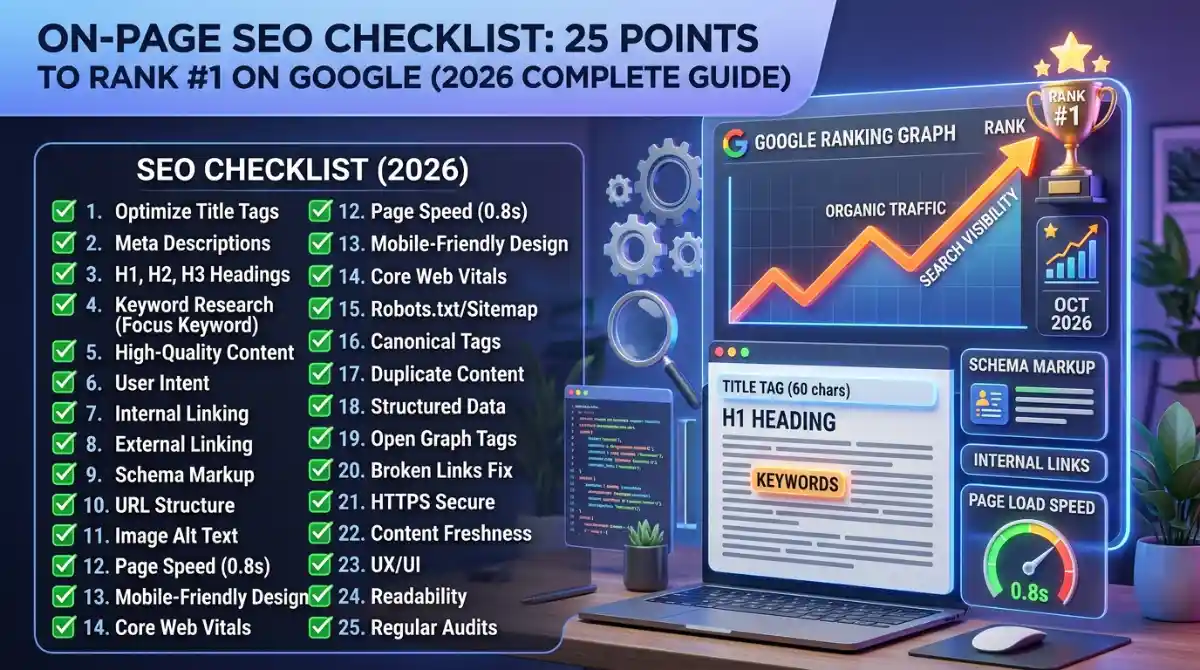
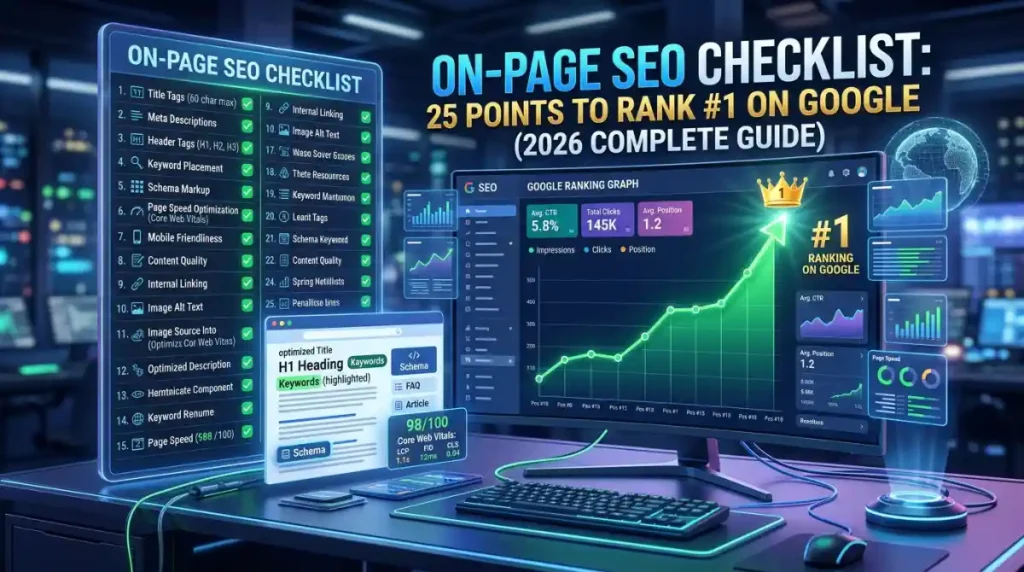
This complete on-page SEO checklist covers 25 proven optimization points that Google actually rewards in 2026. Whether you’re a beginner trying to rank your first blog post, a content writer optimizing landing pages, or a business owner managing your WordPress site, this guide gives you a step-by-step roadmap to rank #1 on Google.
Let’s get into it.
What Is On-Page SEO? (And Why It Still Matters in 2026)
On-page SEO refers to all the optimization techniques you apply directly on your web page — from your title tag and meta description to your heading structure, keyword placement, internal linking, image alt text, and content quality.
Unlike off-page SEO (which focuses on backlinks and external signals) or technical SEO (which deals with crawlability and site architecture), on-page SEO is entirely in your control. Every time you publish or update a page, you have a fresh opportunity to get these factors right.
In 2026, on-page SEO is more important than ever. Google’s Helpful Content System, Core Web Vitals updates, and the rise of AI Overview in search results have raised the bar for content quality. Google now evaluates not just whether a page contains a keyword — but whether it genuinely satisfies the user’s search intent, demonstrates E-E-A-T (Experience, Expertise, Authoritativeness, and Trustworthiness), and delivers real value.
The good news? When you follow a solid on-page SEO checklist, you give every page the best possible chance to rank — not just for one keyword, but for dozens of semantically related queries.
The Complete On-Page SEO Checklist: 25 Points
1. Conduct Proper Keyword Research Before You Write
Everything starts here. Before you type a single word, you need to know what your target audience is actually searching for. Use tools like Google Search Console, Ahrefs, SEMrush, or Surfer SEO to identify your primary keyword, secondary keywords, LSI keywords, and long-tail variations.
For this guide, the primary keyword is “on-page SEO checklist.” But a semantically optimized article doesn’t just repeat that phrase — it also covers related topics like keyword density, meta description SEO, header tags, and search intent optimization. That’s how you build topical authority.
Pro Tip: Use the “People Also Ask” section in Google to find question-based keywords. These are gold for ranking in AI Overview and featured snippets.
2. Optimize Your Title Tag (H1)
Your title tag is the single most important on-page SEO element. It tells Google — and your reader — what the page is about. Here’s how to get it right:
- Place your primary keyword near the beginning of the title
- Keep it between 50–60 characters to avoid truncation in SERPs
- Make it compelling enough to earn clicks (CTR matters)
- Avoid keyword stuffing — write for humans first
Example of a strong title: On-Page SEO Checklist: 25 Points to Rank #1 on Google (2026)
This title includes the primary keyword, a specific number (which increases CTR), and a year for freshness signals.
3. Write a Click-Worthy Meta Description
The meta description doesn’t directly influence rankings, but it massively influences your click-through rate — and CTR is a behavioral signal Google monitors. A well-written meta description:
- Stays under 155–160 characters
- Includes the primary keyword naturally
- Has a clear value proposition or call to action
- Tells the reader exactly what they’ll get
Example: “Follow this complete on-page SEO checklist with 25 actionable points to optimize your pages and rank #1 on Google in 2026.”
4. Use a Clean, Keyword-Rich URL Structure
Your URL is one of the first things Google crawls. Keep URLs short, descriptive, and keyword-focused.
Good URL: flowstackhub.com/on-page-seo-checklist Bad URL: flowstackhub.com/post?id=4829&cat=blogs
Avoid stop words (like “and,” “the,” “of”), use hyphens instead of underscores, and always include your target keyword. For existing pages, changing URLs requires proper 301 redirects — so get it right the first time.
5. Optimize Your H1 Tag
Every page should have exactly one H1 tag, and it should contain your primary keyword. Most CMS platforms (including WordPress) automatically turn your blog post title into the H1. Double-check that this is happening on your site.
Your H1 should be unique from your title tag — similar in theme, but worded differently. This gives you a second chance to include a keyword variation while keeping the page semantically rich.
6. Use H2 and H3 Tags Strategically
Header tags (H2, H3, H4) serve two purposes: they organize your content for readers, and they give Google contextual clues about your content’s structure. A well-structured article with clear subheadings ranks better than a wall of text.
Use H2 tags for major sections and H3 tags for subsections. Include secondary keywords and LSI keywords in your subheadings where it feels natural — not forced. For example, headings like “How to Optimize Title Tags” or “What Are Core Web Vitals?” signal topical depth to Google.
7. Optimize Keyword Placement in Content
Keyword placement matters — but in 2026, natural language processing means Google understands context, not just exact-match phrases. Here’s the on-page SEO rule of thumb for keyword usage:
- First 100 words: Include your primary keyword early to establish relevance
- Throughout the body: Use it 2–4 times naturally, depending on word count
- Conclusion: Restate it once at the end
Avoid keyword stuffing at all costs. A keyword density of roughly 1–1.5% is a healthy range. Beyond that, you risk over-optimization penalties.
8. Write High-Quality, Helpful Content
This is the big one. Google’s Helpful Content guidelines are explicit: content should be written for people, not search engines. Your content must:
- Answer the search query fully and accurately
- Provide unique insights, data, or perspectives
- Be written by someone with real experience or expertise (E-E-A-T)
- Leave the reader better informed than before they clicked
Thin content — pages with fewer than 600–800 words that don’t satisfy search intent — will struggle to rank. For competitive, informational keywords like “on-page SEO checklist,” aim for 2,500–3,500 words and cover the topic comprehensively.
9. Match Search Intent Perfectly
Search intent is why someone types a query into Google. There are four types:
- Informational: “What is on-page SEO?”
- Navigational: “Ahrefs on-page SEO guide”
- Commercial: “Best on-page SEO tools”
- Transactional: “Hire on-page SEO services”
If your content type doesn’t match the intent behind the keyword, you won’t rank — no matter how well-optimized your page is. A listicle-style article like this one is perfect for informational keywords. A landing page is better for transactional ones.
At Flow Stack Hub, we help businesses understand and align their SEO strategy for small businesses with the right intent-matching content — one of the most overlooked ranking factors in the game.
10. Optimize Images with Alt Text
Every image on your page should have a descriptive alt text. Alt text helps:
- Search engines understand what the image shows
- Screen readers describe images to visually impaired users
- Your page rank in Google Image Search
Write alt text that describes the image accurately and includes a keyword when it fits naturally. Example: alt="on-page SEO checklist diagram 2026" — not alt="seo seo checklist SEO google seo".
Also compress your images before uploading. Large image files slow down your page speed, which hurts both user experience and Core Web Vitals scores.
11. Implement Internal Linking
Internal linking is one of the most underused on-page SEO strategies. Every new page you publish should link to at least 2–3 other relevant pages on your site, and existing pages should link back to it.
Internal links:
- Help Google crawl and index your content faster
- Pass page authority (PageRank) between pages
- Reduce bounce rate by keeping visitors engaged
- Build topical clusters around pillar content
Use descriptive anchor text that includes keywords — not generic phrases like “click here.” For example, instead of “click here to learn more,” write “explore our complete beginner’s guide to SEO.”
Speaking of which — if you’re just getting started, our beginner’s guide to SEO 2026 breaks down every core concept in plain language.
12. Add Outbound Links to Authority Sources
Don’t be afraid to link out to authoritative external sources. Linking to trusted sites like Google’s Search Central documentation or established industry sources signals to Google that your content is well-researched and trustworthy. It’s a credibility signal, not a competitive risk.
Aim for 1–3 outbound links per article. Make sure they open in a new tab and are genuinely relevant.
13. Optimize Page Speed and Core Web Vitals
Page speed is a confirmed Google ranking factor — and in 2026, Core Web Vitals are more important than ever. The three key metrics are:
- LCP (Largest Contentful Paint): Should load in under 2.5 seconds
- CLS (Cumulative Layout Shift): Should be below 0.1
- INP (Interaction to Next Paint): Should be under 200ms
Use Google PageSpeed Insights to audit your page. Common fixes include compressing images, enabling browser caching, minifying CSS/JS, and using a CDN. If you’re on WordPress, plugins like WP Rocket or LiteSpeed Cache can do most of the heavy lifting.
14. Ensure Mobile-First Optimization
Google uses mobile-first indexing — meaning it crawls and ranks the mobile version of your site first. If your site doesn’t look and perform great on smartphones, you’re leaving rankings on the table.
Test your pages using Google’s Mobile-Friendly Test. Make sure font sizes are readable, buttons are tappable, images scale properly, and content doesn’t overflow the viewport.
15. Add Schema Markup (Structured Data)
Schema markup is code (typically JSON-LD format) that you add to your page to help search engines understand your content better. It powers rich results in Google SERPs — things like star ratings, FAQs, How-To steps, and article dates.
For a blog post like this one, FAQ schema is especially powerful. It can push your content into the “People Also Ask” section and increase your visibility in AI Overview. You don’t need to code it manually — tools like Rank Math and Yoast SEO have built-in schema generators.
16. Use Canonical Tags to Prevent Duplicate Content
If you have similar or identical content appearing on multiple URLs (a common issue with e-commerce sites, filtered pages, or syndicating content), canonical tags tell Google which version is the “original” that should be indexed and ranked.
Add a rel="canonical" tag in your page’s <head> section pointing to the preferred URL. Most SEO plugins handle this automatically for standard pages.
17. Optimize for Featured Snippets
Featured snippets appear above all other results — the coveted “Position Zero.” To optimize for them:
- Answer questions clearly and concisely in 40–60 words
- Use structured formats (lists, tables, step-by-step instructions)
- Place the question in an H2 or H3 heading, then answer it directly below
- Target questions your content already ranks on page one for
The FAQ section at the end of this article is a prime example of snippet-friendly formatting.
18. Optimize Above-the-Fold Content
The content users see before scrolling should immediately communicate value. Don’t waste the top of your page with huge hero images, excessive ads, or fluffy introductions. Google monitors user behavior — if people land on your page and immediately bounce, that’s a negative ranking signal.
A strong introduction that hooks the reader, clearly states what the article covers, and gets into useful content quickly will reduce bounce rate and increase dwell time — both positive SEO signals.
19. Improve Readability and Content Structure
Readability is an indirect SEO factor with real impact. Content that’s hard to read gets abandoned. Google tracks dwell time and engagement. Use:
- Short paragraphs (2–3 sentences max)
- Bullet points and numbered lists
- Bold text to highlight key points
- Transition words to improve flow
- A reading level appropriate for your audience (aim for Grade 8–10 for general audiences)
Tools like Hemingway Editor can score your readability and flag complex sentences before you publish.
20. Add a Table of Contents
A table of contents (TOC) improves user experience and helps Google generate sitelinks in search results — those extra jump links that appear under your main result. Sitelinks increase CTR significantly.
For WordPress users, plugins like Easy Table of Contents or LuckyWP Table of Contents generate this automatically from your heading structure.
21. Build E-E-A-T Signals into Your Content
Google’s E-E-A-T framework (Experience, Expertise, Authoritativeness, Trustworthiness) isn’t just a ranking factor — it’s the foundation of how Google evaluates content quality. To strengthen E-E-A-T:
- Include an author bio with credentials and real experience
- Cite reputable sources and research
- Add testimonials, case studies, or real-world examples
- Keep your content accurate and regularly updated
- Display trust signals: HTTPS, privacy policy, contact information
This is especially important for YMYL (Your Money, Your Life) topics — health, finance, legal — where Google applies stricter quality standards.
22. Optimize for Voice Search and AI Queries
By 2026, a significant portion of searches are conducted via voice assistants and AI-powered search engines like Google’s AI Overview, Perplexity AI, and ChatGPT Search. These systems favor content that:
- Answers questions in clear, conversational language
- Uses natural phrasing (the way people actually speak)
- Provides direct, factual answers at the top of sections
- Is structured with FAQ-style Q&A formatting
Optimizing for Answer Engine Optimization (AEO) is now part of a complete on-page SEO strategy — not a bonus feature.
23. Update Content Regularly for Freshness Signals
Google rewards fresh, updated content — especially for topics where accuracy matters. A post from 2021 that hasn’t been touched since will lose ground to a 2026-updated version of the same guide.
Set a content calendar to revisit and update key pages at least once or twice a year. Update statistics, add new sections, refresh examples, and change the date in the title. This signals to Google that your content is current and maintained.
24. Use Breadcrumb Navigation
Breadcrumb navigation shows users (and search engines) where a page sits within your site hierarchy. Example: Home > Blog > SEO > On-Page SEO Checklist
Breadcrumbs improve crawlability, reduce bounce rate, and can appear in Google search results — giving your listing more real estate on the SERP. Enable them in your theme or through an SEO plugin.
25. Conduct an On-Page SEO Audit Regularly
Publishing optimized content is only half the job. You should periodically audit existing pages to identify and fix on-page SEO issues. Use tools like:
- Google Search Console — for indexing issues, click data, and search performance
- Screaming Frog — for crawling and identifying broken links, missing tags, and duplicate content
- SEMrush or Ahrefs Site Audit — for comprehensive on-page health scores
- Surfer SEO — for content optimization against top-ranking competitors
At Flow Stack Hub, we offer complete digital marketing and SEO services to audit, optimize, and grow your organic presence — from technical fixes to content strategy.
On-Page SEO vs. Off-Page SEO: What’s the Difference?
On-page SEO covers everything you control on your own website — content, tags, structure, speed, and internal links. Off-page SEO refers to external signals that influence your rankings — primarily backlinks, brand mentions, and social signals.
Both are essential. But on-page SEO is the foundation. Without it, even the best backlink profile won’t push a poorly optimized page to the top. Get on-page right first, then build authority with off-page efforts.
If you’re working with a digital marketing agency, make sure they cover both. Our guide on choosing the best digital marketing agency in 2026 walks you through exactly what to look for.
What Tools Should You Use for On-Page SEO?
Here are the most effective tools for implementing this checklist:
- Yoast SEO / Rank Math — WordPress on-page optimization plugins
- Google Search Console — Free performance tracking and indexing insights
- SEMrush / Ahrefs — Keyword research and site auditing
- Surfer SEO — Real-time content optimization against top competitors
- Screaming Frog — Deep technical crawl and on-page audit
- PageSpeed Insights — Core Web Vitals and speed optimization
- Hemingway Editor — Readability improvement
- Schema.org / Google Rich Results Test — Structured data validation
Frequently Asked Questions About On-Page SEO
What is an on-page SEO checklist? An on-page SEO checklist is a structured list of optimization steps you apply directly to a webpage — including title tags, meta descriptions, keyword placement, content quality, internal linking, image alt text, page speed, and schema markup — to improve its visibility and ranking in Google search results.
What is the most important on-page SEO factor in 2026? Content quality and search intent alignment are the most critical factors. A page must fully satisfy what the user is looking for, demonstrate E-E-A-T, and be technically sound (fast, mobile-friendly, crawlable). No single tag or trick outweighs genuinely helpful content.
Does on-page SEO still work in 2026? Absolutely. On-page SEO is the foundation of every high-ranking page. With Google’s AI Overview and Helpful Content updates, the bar is higher — but on-page optimization is more valuable than ever for earning featured snippets, AI citations, and first-page rankings.
How long does on-page SEO take to show results? Typically 4–12 weeks for newly published content, though existing pages that are updated and re-optimized can see improvements in 2–4 weeks. Competitive keywords may take 3–6 months. Consistent on-page optimization compounds over time.
How do I do an on-page SEO audit step by step? Start with Google Search Console to identify underperforming pages. Then use Screaming Frog to crawl for missing tags, broken links, and duplicate content. Check Core Web Vitals via PageSpeed Insights. Review content against current top-ranking competitors using Surfer SEO or Ahrefs. Prioritize fixes by potential impact.
What is keyword density in on-page SEO? Keyword density is the percentage of times your target keyword appears relative to total word count. A natural range of 0.5–1.5% is generally recommended. Focus on natural placement and semantic coverage rather than hitting a specific number.
What is E-E-A-T and how does it affect on-page SEO? E-E-A-T stands for Experience, Expertise, Authoritativeness, and Trustworthiness. It’s Google’s framework for evaluating content quality. Pages that clearly demonstrate author expertise, cite credible sources, and present accurate, up-to-date information perform better in rankings — especially for competitive or sensitive topics.
How do I optimize for Google AI Overview? Write direct, concise answers to specific questions. Use clear heading structures (H2/H3 for questions, answers in the first paragraph beneath). Include FAQ sections with structured markup. Cover topics comprehensively so your page becomes a trusted source that Google’s AI pulls from when generating overviews.
Conclusion: Start Ranking With This On-Page SEO Checklist Today
On-page SEO isn’t a one-time task — it’s an ongoing process that compounds over time. Each of these 25 points contributes to a stronger, more visible page. Together, they create the kind of content that Google trusts, users love, and search algorithms reward with top rankings.
The good news is you don’t have to figure all of this out alone. Whether you’re a startup, a blogger, or an established business looking to dominate the SERPs, having the right team and strategy makes all the difference.
Ready to take your SEO to the next level?
Explore the advanced digital marketing services at Flow Stack Hub — from complete on-page SEO audits and content strategy to full-service digital marketing campaigns. Our team works with businesses across Pakistan, the UAE, the UK, and beyond to build organic visibility that lasts.
👉 Book a consultation with Flow Stack Hub today and let’s build a strategy that gets your pages to the top of Google — where they belong.

[…] diving into tools and tactics, you should understand what on-page SEO looks like at the execution level — because keyword research feeds directly into every on-page […]
[…] practical guidance on how site speed ties into your full SEO strategy, the on-page SEO checklist at Flow Stack Hub covers this well alongside all the other technical and content […]
[…] 25-point on-page SEO checklist for 2026 to see exactly where image optimization fits into your overall page […]
[…] team at FlowStackHub has actually written about this kind of structured optimization thinking in on-page SEO checklist, and the same “scannable, relevant, structured” logic applies directly to a CV that […]
[…] doesn’t rank on Google isn’t doing its job. It’s worth learning the basics of on-page SEO, keyword research, and Core Web Vitals, since page speed and performance directly affect how well […]
[…] volume, backlinks, and historical ranking data. In practice, the two work best together — see our on-page SEO checklist for where traditional fundamentals still […]
[…] FlowStack Hub’s own blog, including guides like what SEO actually means for beginners and a practical 25-point on-page SEO checklist […]