

Quick Answer
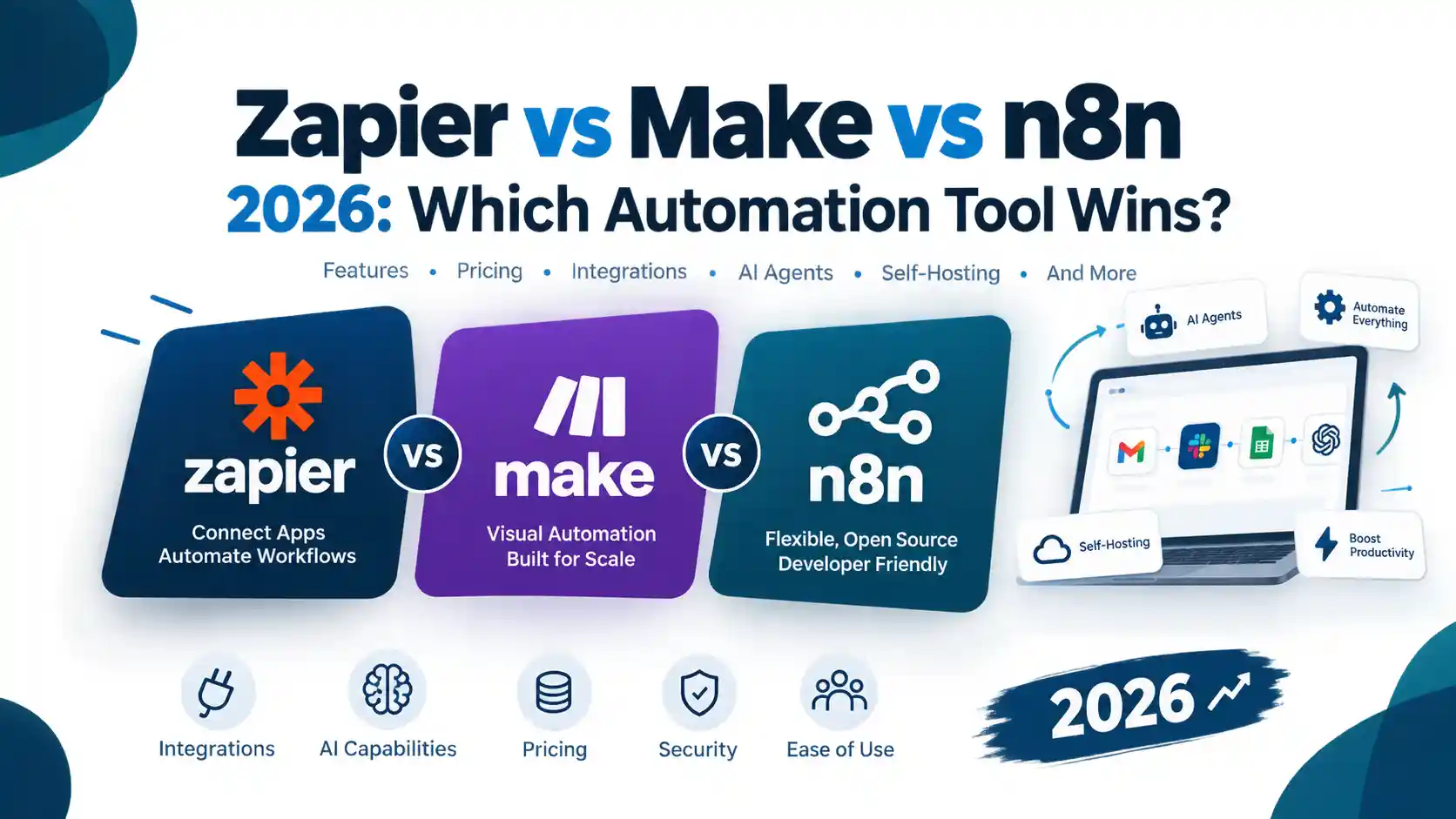
The best AI automation tool depends on how you work. Zapier suits freelancers who want fast setup and the widest app coverage. Make suits those who need visual, multi-step workflows at a controlled cost. n8n and Activepieces suit technical freelancers and agencies that want self-hosting and more control over client data. Compare tools by workflow complexity, pricing unit (tasks, credits or executions) and data location, not by brand.
Introduction
Every client you take on brings the same admin: onboarding forms, welcome emails, reports, invoice reminders and handovers. For a freelancer, that work eats into billable hours. For an agency, it multiplies with every new account.
AI automation tools tackle this by connecting your apps and handling repetitive steps for you. Newer platforms also add AI, so a workflow can classify an enquiry, summarise a report or draft a first reply. But more features do not make a tool better for you. Pricing models differ, some platforms are easier to learn than others, and handling client data safely needs care.
This guide compares four widely used platforms: Zapier, Make, n8n and Activepieces. It explains how each is priced, which workflows to automate first, and how to keep AI actions safe. If you are specifically after marketing tasks, our guide to AI tools that automate digital marketing is a useful companion. This article focuses on running a service business more efficiently.
Quick comparison: which tool for which situation?
| Your situation | Worth shortlisting | Why |
|---|---|---|
| Solo freelancer, non-technical, wants fast results | Zapier | Very wide app coverage and a simple builder |
| Freelancer or small agency with branching, multi-step scenarios | Make | Visual canvas, credit-based billing |
| Technical freelancer or agency wanting control and self-hosting | n8n | Execution-based billing, self-hosting option, HTTP and code flexibility |
| Agency wanting a permissively licensed, self-hostable builder with AI and MCP | Activepieces | MIT-licensed core, self-hosting on every plan |
| Agency running many client accounts | Any of the above, with a client-separation plan | Account structure and permissions matter more than the brand |
What are AI automation tools?
AI automation tools connect your apps and let software complete work that would otherwise be manual. Typical examples include sending a welcome sequence when a client signs, moving a lead from a form into your CRM, or compiling a monthly report. Many of the same ideas apply to marketing automation, such as email sequences, lead nurturing and campaign tracking.
Most platforms now combine two layers:
- Workflow automation. A trigger (a form is submitted) starts a series of actions (create a contact, send an email, notify Slack). The steps are fixed and predictable.
- AI steps and agents. A language model reads, classifies, summarises or drafts content. An agent goes further and decides which tool to use next.
Workflow versus AI agent: what is the difference?
A workflow follows a path you designed. An agent chooses its own path towards a goal.
For client work, a hybrid is usually safest. Use fixed rules for anything that must be exact (invoices, deadlines, data routing). Use AI only where judgement or language is needed (classifying an enquiry, drafting a first reply). Add a human approval step before anything is sent to a client or published.
Why freelancers and agencies use automation
Service businesses repeat the same admin for every client: onboarding, reporting, follow-ups and handovers. Automating these tasks frees time for billable work.
- Freelancers use automation to avoid paying for, or becoming, a virtual assistant.
- Agencies use it to deliver the same process consistently across many clients without adding headcount for every new account.
This matters most for small teams serving small-business clients, where the same handful of processes repeat constantly. Our guide to SEO for small businesses shows how many recurring tasks sit behind even a simple service package.
Treat time savings as something you measure, not assume. The ROI section below shows how.
How to choose an automation tool
Compare platforms on these points before committing.
- Workflow complexity. Do you need simple two-step relays, or branching logic, loops and error handling?
- Pricing unit. Tasks, credits and executions are counted differently, and the difference can change your bill dramatically as workflows grow.
- Integrations. Check that the apps your clients actually use are supported, either natively or through webhooks and HTTP requests.
- AI features and their cost. Find out whether AI steps use a separate meter or the same one as ordinary steps.
- Hosting and data location. This matters when you process client data.
- Client separation. Can you keep each client’s connections, credentials and logs apart?
- Monitoring. You need run history, error alerts and retry options.
- Licensing. If you plan to resell or host automations for clients, read the licence terms first.
If you are also deciding who should build and run these systems for you, our guide to choosing the best digital marketing agency lists the questions worth asking.
The best AI automation tools, reviewed
1. Zapier: best for broad app coverage and quick setup
Zapier states that it connects to more than 9,000 apps, and its Free plan includes 100 tasks per month with two-step workflows.
Strengths
- Very wide integration catalogue, so it is less likely to lack a connector your client uses.
- A gentle learning curve for non-technical users.
- Zapier MCP lets AI assistants such as Claude or ChatGPT take actions in your apps.
Watch-outs
- Billing is task-based, and Zapier’s pricing page says AI steps, code and its SDK follow the same task model. Multi-step workflows can therefore consume allowances quickly.
- Zapier’s pricing page notes that some apps are premium and available only on paid plans.
- Each MCP tool call uses two tasks from your plan’s quota, according to Zapier’s own pricing information.
Best for: freelancers and small agencies who value speed and breadth over the lowest running cost, for example those delivering the kind of small-business packages described in our beginner’s guide to SEO.
2. Make: best for visual, multi-branch workflows
Make builds scenarios on a visual canvas. Make states that it supports more than 3,000 apps, and it offers AI features including AI agents, which third-party reviews describe as beta at the time of writing, so check their status before relying on them for client delivery.
Strengths
- Strong for scenarios with routers, filters and branching, such as content and SEO pipelines that move through research, drafting and review stages. Our keyword research guide shows the research stage that often sits at the start of such a pipeline.
- Credit-based billing. Make’s help centre explains that AI usage can consume credits based on tokens and operations when you use Make’s own AI provider, while a custom connection to a provider such as OpenAI or Anthropic Claude is based on operations.
- Includes a free plan to test the logic before paying.
Watch-outs
- Credits are a unit you need to model. Complex scenarios, retries and AI steps can use more than you expect.
- The visual canvas has a steeper learning curve than simple trigger-and-action builders.
Best for: agencies and freelancers who build more complex logic and want to keep cost per run under control.
3. n8n: best for technical teams that want control
n8n bills by execution (a complete workflow run) rather than by individual step. Its pricing page contrasts executions with the “operations” or “tasks” used elsewhere. A standard self-hosted version is available on GitHub, and n8n states that hosted-plan data is stored in Frankfurt, Germany.
Strengths
- A single execution can contain many steps, which can make long workflows cheaper to run.
- Self-hosting gives you control over infrastructure and data location.
- Flexible for API-heavy work through HTTP requests and code, for example monitoring uptime or performance signals. Our guides on website speed and SEO rankings and Core Web Vitals explain which metrics are worth alerting on.
Watch-outs
- Self-hosting removes the licence fee, but you take on hosting, updates, security and backups.
- n8n uses its own licence. Read the terms carefully if you plan to host it for clients or resell it.
- Failed runs can still count as executions on metered plans.
Best for: technical freelancers and agencies with some DevOps comfort and API-heavy needs.
4. Activepieces: best open-source, self-hostable builder
Activepieces describes its Community Edition as open source under the MIT licence, with enterprise features under a commercial licence. Its pricing page says you can start free with 1,000 credits a month and that self-hosting is available on every plan.
Strengths
- A permissive licence and a self-hosting option.
- AI agents and MCP support are part of the product.
- Data location can be chosen: its EU cloud in Frankfurt, another region on request, or your own servers.
Watch-outs
- A smaller integration catalogue than Zapier. Anything with an API can still be reached through its HTTP piece or a webhook.
- Self-hosted instances need maintenance. An unpatched server is a risk, not a saving.
- If you automate outreach (for example for link building), keep messages personal and reviewed by a person. Fully automated bulk outreach is a reputational risk.
Best for: agencies that want a self-hosted, Zapier-style builder with AI features and fewer licensing concerns.
How automation pricing works
The label on the plan matters less than the unit you are billed on.
| Platform | What is counted | What to check |
|---|---|---|
| Zapier | Tasks (successful actions) | How many steps each Zap uses, and how AI and MCP calls are weighted |
| Make | Credits | Which modules and AI features use more than one credit |
| n8n | Executions (whole workflow runs) | Failed runs and the execution allowance of your plan |
| Activepieces | Credits on cloud, none on self-hosted Community Edition | Which plan features you need |
How to estimate your own usage
- List each workflow and how often it runs per month.
- Count the steps that would be billed on your chosen platform.
- Multiply, then add a buffer for retries and growth.
- Compare the result against each platform’s current official pricing page.
Prices and limits change often. Verify them on the vendor’s own page (Zapier, n8n, Make’s credit documentation) before you buy or quote a client.
Workflows worth automating first
Start with tasks that are frequent, rule-based and low risk.
Client onboarding
Trigger the process when a proposal is accepted. Create the client folder, add them to your CRM, send a welcome email and a questionnaire, and open the project in your task manager. You can also send a short explainer so new clients understand what to expect. For SEO clients, our beginner’s guide to SEO works well as a welcome resource. Keep a human check on any first message that goes to a new client.
Lead capture and qualification
Route form submissions into your CRM, then use an AI step to classify the enquiry by service type or urgency. Flag unclear cases for a person instead of letting the model guess.
Client reporting
Pull data from your analytics, ad and SEO tools into a reporting template, then have an AI step draft a plain-language summary. A person should review the commentary before it is sent. If you report on SEO, our comparison of Semrush, Ahrefs and Ubersuggest explains which data sources suit different budgets, and how long SEO takes to show results helps you set realistic expectations in those reports.
Follow-ups, invoicing and reminders
Send a polite reminder when an invoice or approval is overdue. These are good candidates for fixed rules rather than AI.
Content and SEO operations
Automate briefs, task creation and publishing reminders. AI can help with research and first drafts, but quality, accuracy and originality still need an editor. Our on-page SEO checklist shows the review steps that should stay with a person, and our article on E-E-A-T and website authority explains why unreviewed AI content can weaken trust.
Monitoring and diagnostics
Alert yourself when a site goes down, a form stops working or a page slows down. When a client’s rankings drop, a checklist-driven workflow can gather the first diagnostic data, and our guide on why a website is not ranking lists the common causes to check.
Recommended stacks by business type
Solo freelancer, tight budget. Start on a free plan to prove one workflow, such as onboarding. Upgrade only when you hit a limit that blocks real work.
Freelancer with technical skills. Consider n8n or Activepieces if you are comfortable maintaining a server, or a hosted plan if you are not.
Small agency. Choose a platform with clear run history, team access and a way to separate each client’s credentials. Build reusable templates for onboarding and reporting.
Agency selling automation as a service. Check licence terms, client data requirements and support responsibilities before you commit. Document every workflow you hand over. Clients comparing providers often use criteria like those in our guide on hiring a digital marketing agency, so be ready to explain your process, ownership and reporting.
Security and governance: do not skip this
Automations often hold the keys to client accounts. Treat them accordingly.
OWASP’s GenAI Security Project lists excessive agency among the main risks for LLM applications. This means an AI system given too many permissions can take damaging actions on ambiguous or manipulated input. OWASP’s guidance includes limiting the tools an agent can call to the minimum necessary and logging and monitoring its activity.
In practice:
- Use least privilege. Give each connection only the access the workflow needs.
- Add human approval before emails go to clients, payments are made or content is published.
- Separate clients. Use separate credentials and clear naming per client.
- Log and review. Check run history and set alerts for failures.
- Check data handling. Know where your platform stores data and what your AI provider retains, and make sure it is consistent with your client contracts.
- Validate AI output before it feeds another step, especially structured data such as amounts or dates.
How to measure ROI without inventing numbers
Use your own data:
- Record how long a task takes manually. Time it for a few weeks.
- Estimate how often it happens each month.
- Calculate hours saved, then subtract the time spent building and maintaining the workflow.
- Add the platform cost and any AI usage cost.
- Compare against the value of that time, whether billable or spent on higher-value work.
A workflow that saves ten minutes but breaks every fortnight may cost more than it saves. Include maintenance in the sum.
Common mistakes to avoid
- Automating a broken process. Fix the process first, then automate it.
- Counting steps wrongly. Many bill surprises come from underestimating how many tasks, credits or executions a workflow uses.
- Letting AI act without review. Keep a person in the loop for client-facing actions.
- No error handling. Add alerts and retries so failures do not go unnoticed.
- No documentation. Record what each workflow does, who owns it and which accounts it touches.
- Building from scratch for every client. Use templates and keep client-specific settings separate.
- Ignoring licences. Check before reselling or hosting a platform for others.
Considerations for Pakistan-based freelancers and agencies
If you serve local or international clients from Pakistan, a few practical checks apply:
- Payments. Confirm that your payment method is accepted by the platform you choose, and speak to your accountant about how subscription costs and tax treatment apply to you.
- Data location. Some platforms state their hosting regions (for example, n8n’s hosted data is in Frankfurt and Make hosts on AWS in the EU or North America). Match this to client requirements.
- Client expectations. International clients may ask where their data is processed. Keep a short, accurate answer ready.
- Support and community. Self-hosted tools rely on forums and your own skills, so budget time for maintenance.
You can learn more about the team behind this guide on our About Us page.
Latest developments to watch
- MCP (Model Context Protocol). Zapier and Activepieces both describe MCP support, which lets AI assistants call actions in connected apps.
- Unified metering for AI steps. Zapier states that AI steps, code and its SDK follow the same task model, so AI-heavy workflows can use allowances faster.
- Credits replacing operations. Make’s billing unit is now credits, so older tutorials that talk about “operations” may not match current pricing.
- Agents in beta. Several vendors present agent features that are still evolving. Test thoroughly before putting them in front of clients.
- Answer-engine visibility. As AI-assisted search grows, clear structure and self-contained answers matter more. See our piece on web design trends for AEO and GEO.
Which AI automation tool is best for freelancers?
It depends on budget and technical comfort. Zapier suits non-technical users who want broad app coverage. Make suits those who need branching logic at lower cost. n8n and Activepieces suit those comfortable with self-hosting.
Frequently asked questions
Which is best for agencies?
Agencies should prioritise client separation, monitoring, team access and licence terms alongside price. Test your most complex client workflow on two platforms before choosing.
Is there a free AI automation tool?
Several platforms have free plans or free self-hosted editions. Zapier’s Free plan includes 100 tasks per month, Activepieces offers 1,000 credits a month on its free cloud plan, and self-hosted community editions have no licence fee, though you pay for hosting and maintenance.
What is the difference between an AI agent and a workflow?
A workflow follows steps you define. An agent decides its own next action. Many businesses use workflows for exact tasks and agents for judgement-based ones, with human approval.
Should I use no-code or self-hosted automation?
Choose no-code hosted tools for speed and low maintenance. Choose self-hosting if you need infrastructure control, and have the skills to maintain and secure it.
Is AI automation worth it for a small agency?
It can be, if you measure it. Compare time saved against build time, maintenance and platform costs for each workflow.
How do I stop automations from going wrong?
Use least-privilege access, human approvals for client-facing actions, error alerts and regular review of run logs.
Can I automate client reporting for SEO?
Yes, for data collection and formatting. Keep a person responsible for interpretation and recommendations, and set expectations using realistic timelines, as explained in our guide on how long SEO takes.
Can I sell automation as a service?
Many businesses do, but check the platform’s licence and terms first, and define who maintains each workflow.
Next step
Choosing a tool is the easy part. Designing workflows that are documented, monitored and safe takes more care. If you would like help planning or setting up marketing and agency automations, explore Flow Stack Hub’s services, review our portfolio, meet the team or get in touch to discuss your workflow.
Conclusion
The right automation tool is the one that fits your workflows, your budget and your clients’ data requirements. Start small. Choose one repetitive process, such as client onboarding or monthly reporting, and automate it first.
Here is a simple way to decide:
- Choose Zapier if you want speed and the widest app coverage.
- Choose Make if your workflows need branching logic and you want to model costs by credits.
- Choose n8n or Activepieces if you are comfortable with self-hosting and want more control over data and infrastructure.
Whichever you pick, keep a person in the loop for anything client-facing, give each connection only the access it needs, and review your run logs regularly. Check each vendor’s official pricing page before you commit, because plans and limits change often. Measure the time you actually save, and include maintenance in that sum.
If you want help turning these ideas into documented, monitored workflows, explore Flow Stack Hub’s services or contact our team to discuss your setup. You can also read more practical guides on the Flow Stack Hub blog.